
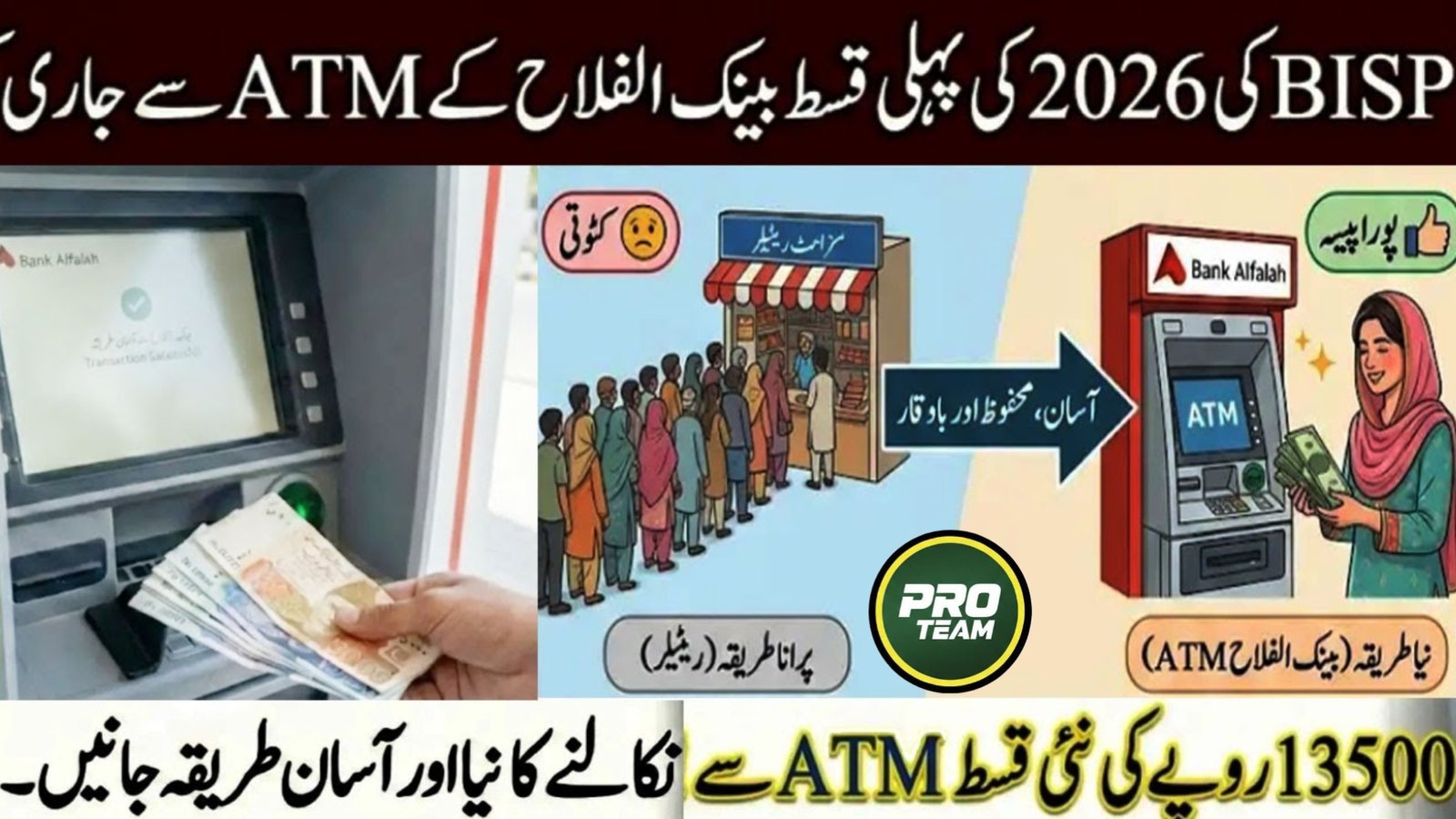
The Government of Pakistan has introduced an easier and safer payment method for beneficiaries under the Benazir Income Support Programme. In 2026, eligible families can now withdraw their BISP payments directly through bank ATMs instead of waiting in long queues at payment centers. This new system helps women and low-income households receive their financial assistance quickly and securely. In this guide, you will learn the complete BISP ATM Withdrawal Banks List 2026, eligibility details, withdrawal method, and helpline information.
| Program Detail | Information |
|---|---|
| Program Name | Benazir Income Support Programme (BISP) |
| Payment Amount | Rs 13,500 Installment |
| Withdrawal Method | ATM with biometric verification |
| Main Partner Bank | Habib Bank Limited (HBL) |
| Other Supported Banks | Bank Alfalah, UBL and selected partners |
| Eligibility Check | Through 8171 portal |
| Official Website | https://8171.bisp.gov.pk |
| Helpline | 0800-26477 |
What is the BISP ATM Withdrawal System in 2026?
The BISP ATM withdrawal system allows registered beneficiaries to collect their financial assistance directly from partner bank ATMs using biometric verification. This method reduces fraud, eliminates middlemen, and gives beneficiaries access to their payments anytime.
According to information available on the official BISP website and multiple verified Google sources, the government has partnered with several major banks to expand ATM-based payment distribution across Pakistan.
- Payments can be withdrawn through biometric verification.
- Beneficiaries receive the full installment amount.
- No service charges are deducted from the payment.
- ATM withdrawal reduces waiting time at campsites.
This digital payment method ensures transparency and convenience for millions of families.

BISP ATM Withdrawal Banks List 2026
To improve payment access, BISP has partnered with several commercial banks. These banks provide ATM facilities with biometric verification for beneficiaries.
- Habib Bank Limited (HBL) – Main partner with nationwide ATM network.
- Bank Alfalah – Supports biometric withdrawals in selected districts.
- United Bank Limited (UBL) – Available in specific regions.
- Additional banks may be added under the digital payment expansion.
These banks were selected because of their strong ATM infrastructure and secure biometric verification systems, which make it easier for beneficiaries to withdraw funds safely. 0
Who is Eligible for BISP ATM Withdrawals?
Not every person can withdraw BISP payments through ATMs. Only registered beneficiaries who meet the eligibility requirements can use this facility.
- Registered in the BISP or NSER database.
- Received payment confirmation through SMS from 8171.
- Possess a valid CNIC issued by NADRA.
- Biometric verification must match successfully.
If your data is verified and your payment is approved, you can withdraw the installment directly from a supported bank ATM.
Step-by-Step Process to Withdraw BISP Payment from ATM
The ATM withdrawal process is simple and can be completed within a few minutes.
- Visit the nearest partner bank ATM such as HBL or Bank Alfalah.
- Select the BISP or Ehsaas Program option on the ATM screen.
- Enter your 13-digit CNIC number.
- Place your thumb on the biometric scanner.
- Select the withdrawal amount (usually Rs 13,500).
- Collect your cash and receipt.
This process is designed so even first-time ATM users can easily withdraw their payments.
Important Tips for Safe ATM Withdrawal
While withdrawing your payment, beneficiaries should follow some safety guidelines to avoid problems or fraud.
- Always use an ATM with biometric verification.
- Do not share your CNIC details with strangers.
- Keep the printed receipt after withdrawal.
- If the machine shows an error, contact the bank or BISP office.
Following these precautions ensures that your payment is received safely and without deductions.
Benefits of ATM Payments for BISP Beneficiaries
The introduction of ATM withdrawals has significantly improved the payment system for BISP beneficiaries across Pakistan.
- Payments available 24/7 through ATMs.
- Reduced crowd at payment camps.
- Better transparency and security.
- More convenience for women and elderly beneficiaries.
This digital payment system is part of the government’s plan to modernize welfare programs and provide financial inclusion for low-income families.
BISP Helpline & Contact Information
If beneficiaries face any issues with payment verification, ATM withdrawal, or eligibility status, they can contact the official BISP support channels.
- BISP Helpline Number: 0800-26477
- SMS Service: Send CNIC to 8171
- Official Website: https://8171.bisp.gov.pk
- Visit the nearest BISP Tehsil Office for assistance
These official channels help beneficiaries resolve issues related to payments, registration, and biometric verification.
Conclusion
The BISP ATM Withdrawal Banks List 2026 provides a more convenient way for beneficiaries to receive their financial assistance. With banks like HBL, Bank Alfalah, and UBL supporting biometric ATM withdrawals, families can now collect their Rs 13,500 installment quickly and safely. This new system reduces dependency on agents and improves transparency in the payment process. Beneficiaries should always verify their eligibility through the 8171 portal and use authorized ATMs to receive their payments.
FAQs
1. Which banks support BISP ATM withdrawals in 2026?
Major banks such as HBL, Bank Alfalah, and UBL currently support BISP ATM withdrawals.
2. How much payment can beneficiaries withdraw from ATM?
Eligible beneficiaries can withdraw the full installment, usually around Rs 13,500.
3. Do beneficiaries need a BISP card for ATM withdrawal?
No, in many cases beneficiaries can withdraw payments using CNIC and biometric verification.
4. What should I do if biometric verification fails?
If your thumb verification fails, visit the nearest BISP office or NADRA center to update your biometric record.
“`1
Latest Updates
 Latest News: Pakistan 5G Auction 2026: Final Phase for Ultra-Fast Internet
 Today Update: Punjab Dhee Rani Program Phase 2 2026 – Complete Registration & Marriage Support Guide
 Latest Update: Bank of Punjab Role In Nigehban 10000 Cash Scheme New Update
 Today Update: BISP 8171 New Survey Starts with New Installment Payment – Full Eligibility & Verification Guide
 Latest Update: PM Ramzan Relief Package 2026 – Rs. 13,000 & Rs. 10,000 Cash Support Complete Guide
 Today Updates About PMRRP.nitb.gov.pk Relief Package 2026 – Complete Guidelines